Smash Ball Guides
First-person dodgeball tutorials - from your first match to last player standing.
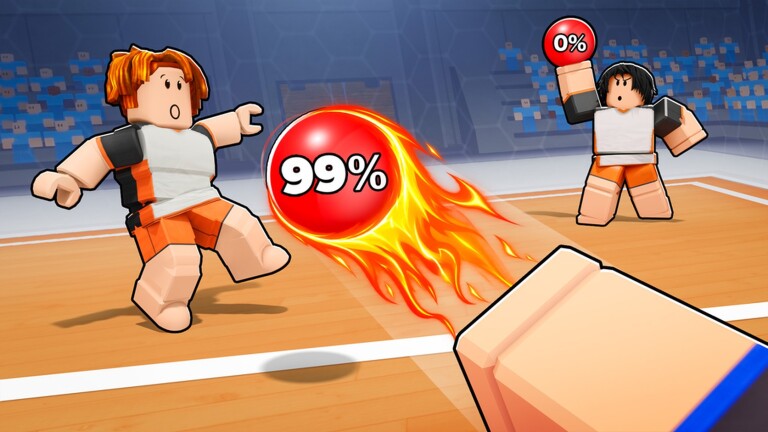
Welcome to the Smash Ball guides hub. Smash Ball by yacti is a competitive first-person dodgeball experience on Roblox: catch or pick up a glowing cyan energy ball, aim with an FPS-style crosshair, smash it at opponents, dodge incoming throws, and try to be among the last players standing. Servers hold up to eight players. The arena uses dark industrial neon cyan lighting, with a Players Remaining counter, round timer, and health bars on screen.
This hub collects every practical tutorial on the wiki so you can learn the loop in order instead of guessing mid-fight. Start with Getting Started if you just opened the place for the first time. Then lock in Controls for PC, mobile, and console, drill How to Catch and Throw, survive longer with How to Dodge, sharpen offense with How to Aim, control space with Arena Positioning, delete bad habits via Beginner Mistakes, and finish with Tips to Win when you want competitive habits.
Who these guides are for
- Brand-new players who need the core loop explained without fluff
- Mobile and console players mapping Smash Ball inputs to familiar buttons
- Returning players who want cleaner catch timing, throw pressure, and dodge reads
- Competitive players grinding better round win rates in busy 1.5k-1.6k CCU lobbies
Smash Ball launched on Roblox on October 14, 2026 (UniverseId 10770881168) and has grown quickly into roughly six million visits. It runs on Desktop, Phones, Tablets, Xbox, and PlayStation 5. The guides here stick to mechanics that show up in normal play and community script feature lists - catch, throw/hit, dodge, pickup, and aim - without inventing shop currencies or abilities that are not evidenced in the game.
Recommended reading order
- Getting Started - join a match, read the HUD, understand elimination and Spectate, and know what good looks like in your first hour.
- Controls - map aim, throw, catch, pickup, movement, and post-elim spectating across platforms.
- How to Catch and Throw - turn pickup and smash into reliable offense instead of panic throws.
- How to Dodge - stay alive when multiple cyan balls are in the air and health is ticking down.
- How to Aim - crosshair settle, lead movers, mid-range vs long-range choices, and PC/mobile/console aim differences.
- Arena Positioning - neon space control, rebound paths, third-partying, and late-round angles.
- Beginner Mistakes - twelve common errors (statue pickups, ego peeks, fake codes) with fixes.
- Tips to Win - positioning, timing, pressure, and clutch habits for last players standing.
Related deep-dives (after the core loop)
Once catch, dodge, and basic movement feel natural, prioritize How to Aim before you blame sensitivity for every miss. When you hit shots but still die first, study Arena Positioning and stop donating mid peeks. If the same deaths keep repeating, skim Beginner Mistakes as a negative checklist, then return to Tips to Win for the competitive glue.
Sibling guides cross-link on purpose: aim pages send you back to catch/throw; positioning pages send you to dodge and Spectate habits; mistake pages send you to codes and scripts only to keep expectations honest.
What you will see in a match
Every round is a short survival fight. You track opponents through neon corridors, watch for glowing balls on the ground or in flight, and manage your health bar while the round timer and Players Remaining counter update. When you are eliminated you see messaging along the lines of “You were eliminated! Waiting for next round…” and can Spectate until the next round starts. That spectator window is useful: study who is catching cleanly, who is over-peeking, and where balls tend to land after a miss.
Offense and defense are the same skill tree. A strong catch sets up a strong throw. A good dodge keeps you alive long enough to pick up the next loose ball. Clean aim turns possessions into damage. Smart positioning decides whether that aim happens from cover or from a free-kill mid pixel. The pages under this hub break that loop into focused drills so you can improve one piece at a time, then stitch them together in live matches.
Related wiki hubs
After the guides, check Codes for redemption notes (there are no confirmed active codes as of November 2026 - verify Discord and the official group before trusting lists). Browse Scripts only with account-safety caution if you research community tools. Use Updates for patch context and the Players hub when you want creator and community context. The Tier List hub is for ranking playstyles and habits once you understand the basics.
How to use this hub well
Read one guide, then play a few rounds with a single focus - for example, only practicing catch timing, only practicing strafe-dodges, or only practicing crosshair settle after pickup. Smash Ball rewards deliberate reps more than passive watching. When a clip or tip contradicts what you feel in-game, trust the live HUD and your own round results: health bars, Players Remaining, and whether you still have a ball in hand are the scoreboard that matters.
Bookmark this Guides Hub and return after patches. Mechanics stay centered on catch, throw, dodge, pickup, and aim, but map feel and lobby pace can shift as the player base grows. Cross-link between sibling guides whenever you need a refresher; each page points back to the others so you never dead-end mid-learning.
If you are completely new, stop scrolling the hub list and open Getting Started now. Come back here when you want the full map of tutorials in one place - including aim, arena positioning, and beginner-mistake repairs stacked in reading order.
Frequently Asked Questions
Quick answers for Smash Ball players.
Where should a new Smash Ball player start?
Begin with Getting Started, then Controls, Catch and Throw, and Dodge. Add How to Aim and Arena Positioning next, skim Beginner Mistakes, and finish with Tips to Win.
Do these guides invent abilities or currencies?
No. They stick to evidenced mechanics: catch, pickup, aim, throw/smash, dodge, movement, HUD elements, elimination, and Spectate.
Is Smash Ball only on PC?
No. Smash Ball supports Desktop, Phones, Tablets, Xbox, and PlayStation 5. Use the Controls guide for platform-oriented notes.
How many players are in a Smash Ball server?
Matches support up to eight players. Watch the Players Remaining counter as eliminations happen each round.
Are there working promo codes right now?
As of November 2026 there are no confirmed active codes. Check the Codes hub plus the official Discord and Roblox group before redeeming anything.